Apple Watch
A walkie-talkie app for Apple Watch.
KeyUp is a push-to-talk walkie-talkie app with its own Apple Watch app. It talks on iPhone with the KeyUp app, on Android phones and Wear OS watches, and in the same rooms as computers.
The short answer
Apple discontinued its Walkie-Talkie app in watchOS 27 (Apple Support, September 2026). KeyUp is a push-to-talk walkie-talkie that works on iPhone and Apple Watch, and talks to Android phones and Wear OS watches too. KeyUp has an iPhone app and an Apple Watch app.
How it works.
-
On iPhone
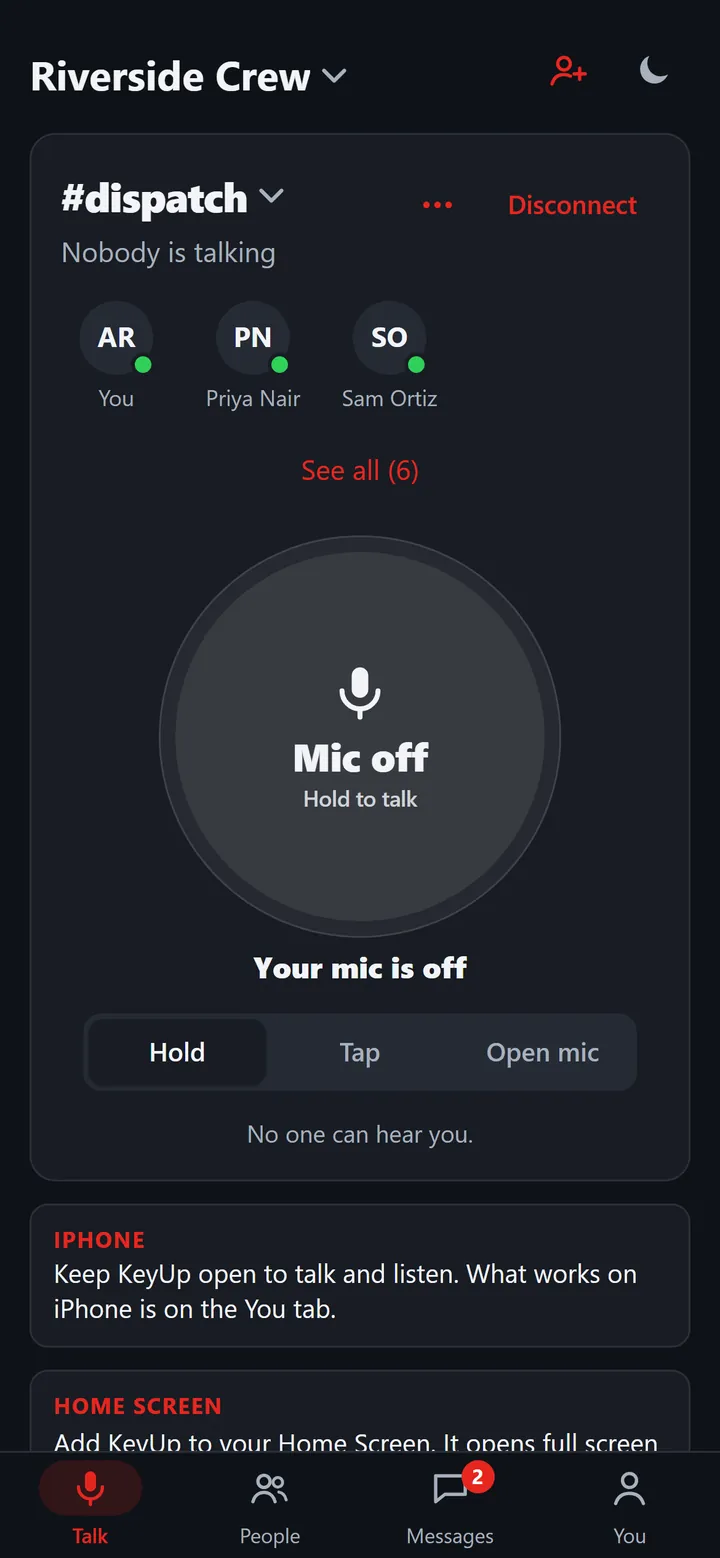
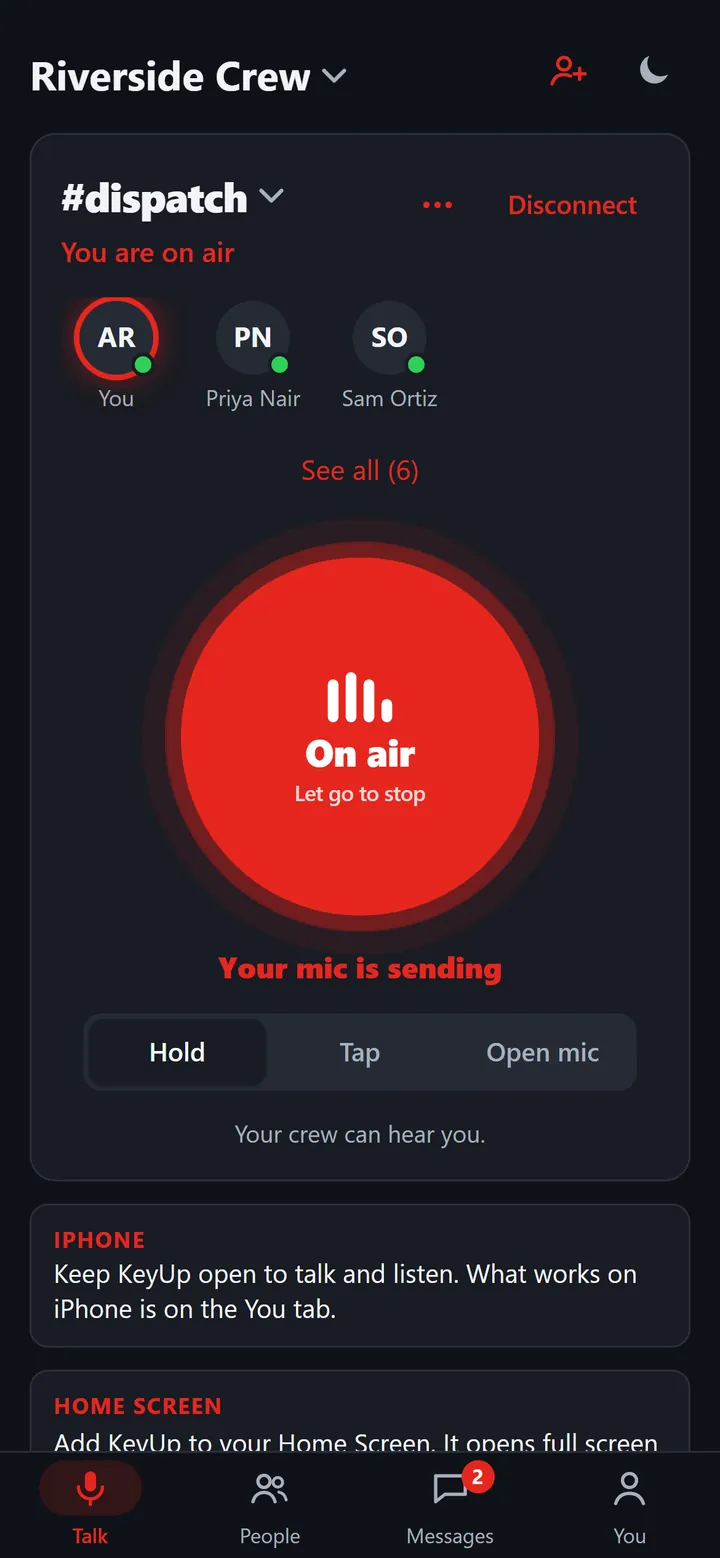
Use the KeyUp iPhone app, or open KeyUp in Safari and add it to your Home Screen. Hold the button and everyone in the room hears you.
How to -
Not just Apple
The Walkie-Talkie app on Apple Watch only reached other Apple Watch owners. KeyUp rooms mix iPhone, Android phones, Wear OS watches and computers.
How to -
Rooms, not one-to-one
Talk to the whole family or crew at once, in rooms you set up, instead of one contact at a time.
How to -
KeyUp on Apple Watch
KeyUp has an Apple Watch app. Open KeyUp on your watch and tap to talk.
-
More than talking
Read and answer messages, add friends with a QR code, set Quiet and room hours, set reminders, send a Call for help, take calls, and use Open mic while KeyUp is open on the watch. With the iPhone near, the watch works through it. When the iPhone is away, the watch uses its own sign-in.
-
Switching to Wear OS?
On a Wear OS watch, KeyUp has a full standalone app: turn the crown or raise your wrist to talk, even with the screen off.
How to
KeyUp on Apple Watch
KeyUp on Apple Watch.
Open KeyUp on your watch and tap the big button to talk, or hold it and let go. Tap again to stop. It talks with iPhone, Android, Wear OS and computers in the same rooms. The Apple Watch app is installed with the KeyUp iPhone app. It also has messages, people, Quiet, reminders, Call for help and calls. With the iPhone near, the watch works through it. When the iPhone is away, the watch uses its own sign-in. You talk while KeyUp is open on the watch screen.
The honest limits.
- The KeyUp Apple Watch app is installed with the KeyUp iPhone app. With the iPhone near, the watch works through it. When the iPhone is away, the watch needs its own sign-in.
- Open mic works only while KeyUp is open on the watch.
- Exporting your data, buying or changing a plan, typing your own transcription key and changing Focus stay on the iPhone.
- On Apple Watch, you talk with the crown, by raising your wrist, or by tapping or holding the button, while KeyUp is open on the watch with the screen lit. Talking with the screen off is a Wear OS feature: watchOS does not give apps a way to read the crown or the wrist then.
- In Safari, KeyUp only listens and talks while the page is open in front. The iPhone app can talk with the phone locked.
- KeyUp needs Wi-Fi or mobile data. It is not an offline radio.
- It is a work and family tool, not an emergency or safety device.
Questions.
Did Apple discontinue Walkie-Talkie?
Yes. Apple discontinued its Walkie-Talkie app in watchOS 27 (Apple Support, September 2026). After the update the app no longer appears on the watch, and Apple says it is not available to download. See Push to talk on Apple Watch after watchOS 27 for how KeyUp is different.
Can I use KeyUp on my Apple Watch now?
Yes. KeyUp has an Apple Watch app. Open KeyUp on your watch and tap to talk.
What can the Apple Watch app do besides talk?
You can read and answer messages, send voice notes, add friends with a QR code, set Quiet and room hours, set reminders with Done and Snooze, send a Call for help, take and make calls, use Open mic, and change Privacy, Account and Devices settings. With the iPhone near, the watch works through it. When the iPhone is away, the watch uses its own sign-in. Data export, plans and purchases, and your own transcription key stay on the iPhone.
Can my Android friends join?
Yes. Android phones, Wear OS watches, iPhone and computers can all be in the same room.
What does it cost?
Free for up to 2 people, Plus $4.99 a month for 5 or Plus 10 $9.99 for 10 (for personal use), and Crew from $24.99 a month for 6 people. The Space owner pays; members and guests never do.
KeyUp on iPhone and Apple Watch.
KeyUp has an iPhone app and an Apple Watch app. You can also use KeyUp on iPhone in Safari.